
Read in
8
min
Trade Show Booth Wi-Fi: Phone Hotspot vs Bonded Cellular
Short answer: don’t bet your booth on a phone hotspot. A hotspot rides one carrier on a consumer plan and can slow when the hall fills. MR·NET, a managed bonded cellular service from MOTIONRAY Inc., bonds Verizon, AT&T and T-Mobile into private booth Wi-Fi or Ethernet, and setup takes a few minutes.


Four ways to get booth Wi-Fi
Your booth needs its own network that keeps working after the doors open. There are four ways to get one:
A phone hotspot: free, fine for one or two light devices, fragile in a crowd.
Venue Wi-Fi: sold per device, per booth hotspot or as a wired line, priced by the venue’s provider.
A multi-SIM router: more SIMs, but it uses one carrier at a time.
A bonded cellular gateway: several carriers at once, private Wi-Fi or Ethernet, about $900 for a 3-day show on MR·NET’s trial.
Which one fits depends on what your booth runs. Start there.
What does your booth actually run?
List every device that needs a connection, then ask what happens if it drops for two minutes at your busiest hour.
Booth use | Typical devices | If the connection drops |
|---|---|---|
Lead capture | Badge scanners, tablets running a lead app | Scans queue up or get lost; follow-up gets messy |
Payments | Card readers, a POS tablet | A sale stalls with the buyer standing there |
Product demos | Demo laptop, cloud software, streaming video | The pitch stops mid-sentence |
Screens | Video wall or TV fed from an online playlist | A frozen screen in your booth |
Video calls | Laptop calling an engineer or exec back home | The call drops in front of the prospect |
Staff basics | Phones, email, chat | Annoying, rarely costly |
Size your booth connection by bandwidth and data, not by device count. Ten idle tablets use less than one streaming screen. MR·NET customers typically use 10 to 40 GB per show day; light booths (lead capture, payments, email) sit near the bottom of that range, booths that stream sit near the top. To estimate yours, estimate your booth’s data.
When is a phone hotspot enough, and when isn’t it?
A phone hotspot is enough when the booth is light: a couple of devices, email and lead scans, nothing that loses money if it pauses.
It stops being enough for three reasons:
One carrier. A phone connects to one carrier’s network. When that carrier’s towers fill with attendees, your booth slows with them.
One consumer plan. A phone plan is a consumer plan, and carrier policies on hotspot use vary by plan. We cover that in why your hotspot failed.
One phone. The hotspot leaves when its owner walks to a meeting, and the battery runs down all day.
Testing the night before tells you little. An empty hall and a full hall are different networks.
What does venue Wi-Fi cost?
Venue internet comes in three forms. Prices below come from official venue and provider documents (advance rates unless noted), as quoted in MR·NET’s venue guides:
Per-device Wi-Fi. Only four of the 13 venues we track print a per-device or per-user price. Examples: the Los Angeles Convention Center’s on-site Wi-Fi flyer lists Premium WiFi at $49.99 for one device for one day ($127.48 for three days at 5 Mb). The Georgia World Congress Center lists $300 per user. The Javits Center lists $262.75 per device for one to four devices. Moscone lists Standard Wireless at $1,000 for one device at 10 Mbps, plus $195 for each extra device code.
Booth Wi-Fi hotspot packages. The LVCC’s booth hotspot starts at $1,750 (5 Mbps, up to 10 users). Smart City Networks venues list a Standard Hotspot for five devices at $2,339.
Wired lines. Entry wired or shared service runs $500 (LVCC) to $1,575 (Javits) at exhibitor rates. A dedicated 10 Mbps line costs $4,500 to $13,542, with a median of $7,850, across the 11 venues that print exhibitor rates.
Then there are the rules. Some venue providers restrict outside wireless equipment. Two examples, quoted from official documents:
Moscone Center, Telecommunications Order Form 2026: “Customer/exhibitor provided wireless AP/router are not permitted on site.”
Las Vegas Convention Center, provider terms: “Wireless devices not authorized by Cox are prohibited.”
Neither mentions cellular gateways. That’s why the Wi-Fi-off setup below exists, and why you should get the venue’s answer in writing.

How does a bonded cellular gateway give you private booth Wi-Fi?
MR·NET’s MR 006 Plus gateway carries three preinstalled SIMs, one each from Verizon, AT&T and T-Mobile, on enterprise-tier plans. It bonds all three at once into one connection through MR·NET’s cloud bonding server. If one carrier slows or drops, traffic moves to the other two. Speed can dip while fewer carriers are active, and performance depends on local carrier signal.
Two levers work together here. Carrier diversity gives your traffic somewhere else to go when one network is busy. Enterprise-tier SIMs are a separate lever that helps curb congestion when the hall fills. A multi-SIM router gets you neither in full: it switches between carriers one at a time, which is not true bonding, and its SIMs are whatever plans you buy. See multi-SIM router vs bonded cellular for the full comparison.
The gateway then becomes your booth’s network:
Private Wi-Fi 6 (802.11ax, 2.4/5 GHz) for tablets, scanners and staff devices
Four Gigabit Ethernet ports for the demo PC, POS station and screen player
250 Mbps maximum bandwidth, with real speed set by the signal in your hall
Wi-Fi off, when you need it, so devices run on Ethernet only and the booth broadcasts no Wi-Fi
How do booth Wi-Fi options compare?
Option | Devices | Carriers at once | Plan tier | Private network? | Cost for a 3-day show |
|---|---|---|---|---|---|
Phone hotspot | A few, light use | One | Consumer phone plan | Yes, until the phone leaves | Your phone plan |
Venue Wi-Fi | Per device or per package | Not cellular: venue network | Not applicable | Depends on the package | Examples: $300 per user (GWCC); $1,750 booth hotspot (LVCC); $2,339 for five devices (Smart City venues) |
Multi-SIM router | Depends on the router | One (switches between SIMs) | Whatever SIMs you buy | Yes | Router plus SIM plans; varies |
MR·NET bonded cellular | Sized by bandwidth; Wi-Fi 6 plus four Ethernet ports | Three: Verizon, AT&T and T-Mobile | Enterprise-tier SIMs | Yes, or Ethernet only with Wi-Fi off | $900 on the trial at 25 GB a day, plus shipping and tax |
The MR·NET figure: the $300 trial covers the first month for first-time customers (first unit only) and is credited toward purchase. It includes no data; data is $8/GB from the first GB. A 3-day show at 25 GB a day is $300 + ($8 x 75) = $900, plus shipping and tax. If you exhibit several times a year, see trade show internet rental vs owning.
How do you set up booth Wi-Fi in a few minutes?
MR·NET gateways arrive preconfigured. Setup takes a few minutes:
Test at the office first. Connect the exact devices you’ll bring and run the real demo, a test payment and a lead scan.
Pick Wi-Fi or Ethernet. Use the gateway’s private Wi-Fi, or switch Wi-Fi off and plug devices into the four Ethernet ports. Add a small switch if you have more than four wired devices.
Check the venue’s rules for outside wireless equipment, and get the venue’s answer in writing.
Ship with time to spare. Standard shipping is $24 (3 to 5 days); overnight is $199 extra.
At the booth, plug in power, connect your devices and check the connection on move-in day. Signal varies from hall to hall.
Watch it during the show. MR·NET’s US-based team answers by chat or phone, after hours too.
Will payment terminals work on booth Wi-Fi?
POS systems and card readers run over the MR·NET gateway with no POS reconfiguration: connect them over Wi-Fi or Ethernet like any other network. Run a test transaction before the doors open, on every reader. Payment providers set their own requirements, so check yours if it has rules on network type.
See it on a show floor
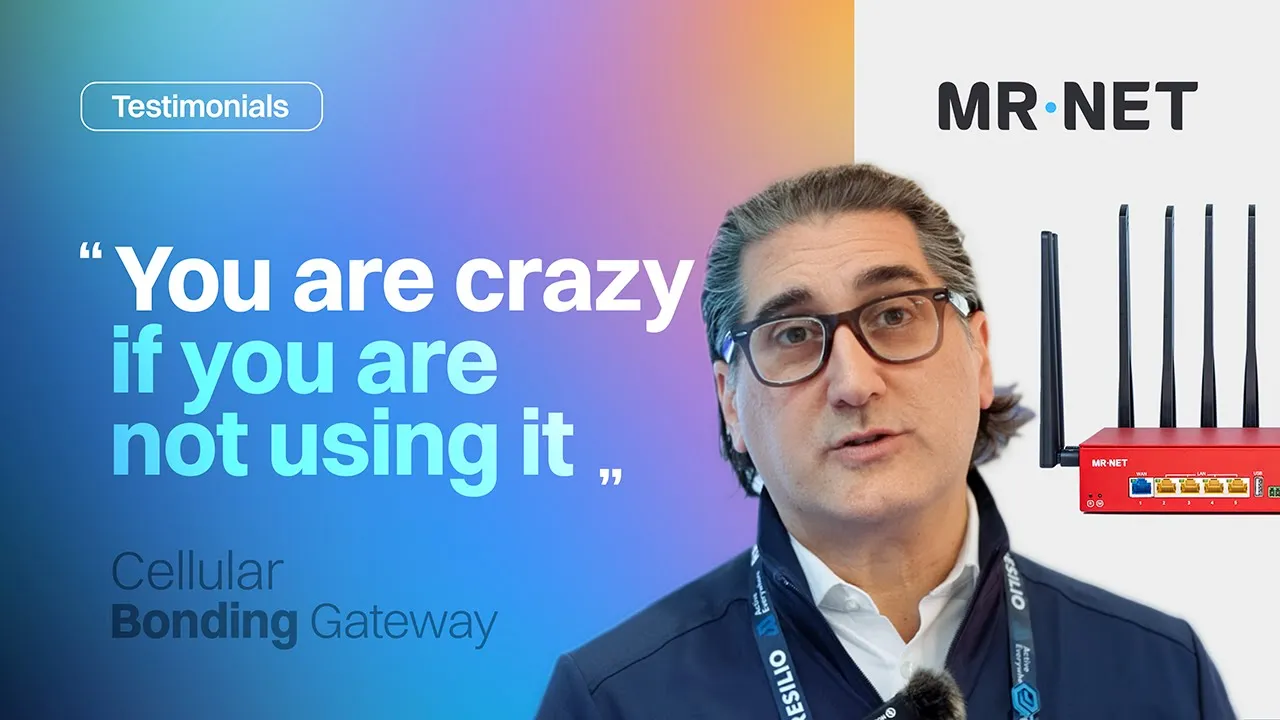
A short video of Resilio’s trade show booth running on MR·NET, featuring Adam Kranitz, then CMO at Resilio.
Ready for booth Wi-Fi that doesn’t depend on one phone? Start with the $300 first-month trial, or see how MR·NET booth Wi-Fi and trade show internet works.
Frequently Asked Questions
What’s the best portable Wi-Fi for a trade show booth?
For a light booth, a phone hotspot can do. For demos, payments and video, use a gateway that bonds several carriers at once on business-grade SIMs. MR·NET bonds Verizon, AT&T and T-Mobile on enterprise-tier SIMs into private booth Wi-Fi or Ethernet, and setup takes a few minutes.
Can I use my phone as a hotspot at a trade show?
Yes, for light use like email and a few lead scans. A phone hotspot uses one carrier on a consumer plan, so it can slow when the hall fills with attendees on the same towers. It also leaves when the phone’s owner does.
How many devices can a booth Wi-Fi handle?
There’s no fixed number: size booth Wi-Fi by bandwidth and data, not device count. Ten idle tablets use less than one streaming screen. MR·NET’s gateway has Wi-Fi 6, four Gigabit Ethernet ports and 250 Mbps maximum bandwidth, and real speed depends on carrier signal in the hall. MR·NET customers typically use 10 to 40 GB per show day.
Will card readers work on booth Wi-Fi?
POS systems and card readers run over the MR·NET gateway with no POS reconfiguration. Run a test transaction on every reader before the doors open. Payment providers set their own requirements.
What if the venue doesn’t allow outside Wi-Fi?
Switch the MR·NET gateway’s Wi-Fi off. Your devices connect over its four Gigabit Ethernet ports and the booth broadcasts no Wi-Fi. Rules differ by venue, so describe that setup to the venue and get its answer in writing before the show.
How long does setup take?
A few minutes. The MR·NET gateway arrives preconfigured: plug in power, connect your devices over Wi-Fi or Ethernet, and test before the show.
How much does booth Wi-Fi cost per show?
On MR·NET’s $300 first-month trial, a 3-day show at 25 GB a day costs $900, plus shipping and tax. Venue options vary by venue: for example, $300 per user at the Georgia World Congress Center, a booth hotspot from $1,750 at the Las Vegas Convention Center, and dedicated 10 Mbps lines from $4,500 to $13,542 across the venues in MR·NET’s guides.
Sources
MR·NET product and pricing facts: mrnet.us/pricing, /tradeshows and /live-events, checked October 27, 2026.
Venue Wi-Fi prices, wired prices and wireless rules: official venue and provider order forms and price lists, as quoted in MR·NET’s venue guides (/tradeshow-venues), verified October 8 and 19, 2026. Moscone Center Telecommunications Order Form 2026 (Moscone Facility Services); LVCC Internet Products Form terms (Spectrum Business, formerly Cox Business, updated 09/26).
MR·NET is not affiliated with or endorsed by any venue or venue internet provider mentioned on this page.