
Read in
8
min
Multi-SIM Router vs Bonded Cellular: What Your Trade Show Booth Needs
Short answer: a multi-SIM router switches between carriers one at a time, so when that carrier slows in a full hall, your demos and payments slow with it. MR·NET, a managed bonded cellular service from MOTIONRAY Inc., bonds Verizon, AT&T and T-Mobile at once on enterprise-tier SIMs, so if one carrier slows, the others carry the traffic.


Three SIM slots aren’t three carriers
A box with three SIM slots is not three carriers working for you. Most of the time it is one carrier working for you and two waiting on the bench.
You are probably weighing this because the venue quoted you a price that made you wince. A dedicated 10 Mbps line costs $4,500 to $13,542 per show at advance rates across the 11 US convention centers in MR·NET’s venue guides that print exhibitor prices. Against that, a router with a few SIM cards looks like a bargain. It can be, for the right job. For demos, payments and video at peak hours, two things decide whether your booth stays online:
How many carriers carry your traffic at the same moment. Switching uses one. Bonding uses all of them.
What plan those SIMs are on. Consumer plans and enterprise-tier plans are different products.
The rest of this page explains both.
What does a multi-SIM router actually do?
A multi-SIM router holds two or more SIM cards, often from different carriers. It picks one as the active connection and watches it. When that carrier drops, or falls below a threshold you set, the router switches to the next SIM.
That is failover. It’s useful, and it is how a lot of office backup internet works. At a booth, it has two weak spots:
The switch is a reconnect. Your public IP address changes with the carrier, so a video call, a cloud demo session or a card transaction in progress can drop and have to start again.
Slow isn’t the same as down. A carrier on a packed tower can stay “up” while delivering very little. The router may keep you on it, because by its rules nothing has failed.
Some multi-SIM routers can also load-balance: they send different devices or different sessions over different SIMs. That spreads the load, but each individual session still rides one carrier. If the demo laptop happens to be on the carrier that’s struggling, the demo struggles.
What does bonding do differently?
Bonding uses every carrier at the same time. MR·NET’s gateway splits your booth’s traffic across its Verizon, AT&T and T-Mobile connections, and MR·NET’s cloud bonding server puts the pieces back together into one connection.
Because the bonded connection doesn’t belong to any single carrier, losing one doesn’t force a reconnect. When one carrier slows or drops, traffic moves to the remaining two. Speed can dip while fewer carriers are active, and every result depends on the signal each carrier has in that hall. What bonding removes is the single point of failure that a one-carrier-at-a-time setup keeps.
To be explicit, because the terms get blurred in product listings: a multi-SIM router that switches between carriers is not doing true bonding. True bonding means all carriers carry your traffic at once.
Why does the difference show up when the doors open?
Set up the night before and almost anything works. The hall is empty, the towers are quiet, and a phone hotspot can look fast.
Then the doors open. Attendees and exhibitors pull out their phones, all on the same few towers. Every carrier gets busier at once, though rarely by the same amount at the same moment. A one-carrier-at-a-time device has to bet on which carrier holds up, and when it guesses wrong, your booth waits for the next switch. A bonded connection doesn’t need to guess: it keeps using whatever capacity each carrier still has. For a closer look at what goes wrong with single-carrier setups on a show floor, read why your hotspot failed.

Why does plan tier matter, separately from carrier count?
Carrier diversity is one lever. Plan tier is a separate one.
A multi-SIM router loaded with three consumer SIMs is still running on three consumer plans. Adding carriers gives your traffic more places to go. It doesn’t change the plan underneath.
MR·NET’s MR 006 Plus ships with three preinstalled SIMs, one each from Verizon, AT&T and T-Mobile, on enterprise-tier plans. Enterprise-tier SIMs are a separate lever that helps curb congestion in a full hall. Bonding three carriers on those plans pulls both levers at once.
The rest of the gateway, for reference: LTE modems, four Gigabit Ethernet ports, Wi-Fi 6 (802.11ax, 2.4/5 GHz) and 250 Mbps maximum bandwidth. Real speed at your booth depends on local signal.
How do the booth internet options compare?
Option | Carriers in use at once | Plan tier | When one carrier slows | Setup | Cost for a 3-day show |
|---|---|---|---|---|---|
Phone hotspot | One | Consumer phone plan | Your booth slows with it | Minutes, but ties up a phone | Your phone plan |
Multi-SIM router | One (switches between SIMs) | Whatever SIMs you buy | Switches to another SIM; sessions may reconnect | You buy, install and manage SIMs and plans | Router plus SIM plans; varies |
Venue internet, dedicated 10 Mbps | Not cellular: the venue’s own network | Not applicable | Depends on the venue network | Order and pay by the venue’s deadline | $4,500 to $13,542 at advance rates (median $7,850) |
MR·NET bonded cellular | Three: Verizon, AT&T and T-Mobile | Enterprise-tier SIMs | Traffic moves to the other carriers; speed may dip | Preconfigured; a few minutes | $900 on the trial at 25 GB a day, plus shipping and tax |
Venue prices: MR·NET venue guides, 11 US convention centers that print exhibitor rates, verified October 2026.
The MR·NET figure: the $300 trial covers the first month for first-time customers (first unit only) and is credited toward purchase. It includes no data, and data is $8/GB from the first GB. MR·NET customers typically use 10 to 40 GB per show day, so a 3-day show at 25 GB a day is $300 + ($8 x 75) = $900, plus shipping and tax. For repeat exhibitors, see trade show internet rental vs owning.
When is a multi-SIM router fine?
We’d rather you buy the right thing than the most expensive thing. A multi-SIM router is a reasonable choice when:
It’s a backup, for example behind a venue line you already ordered.
The booth is light: email, a few lead scans, a static demo that runs offline.
The stakes are low. If a two-minute dropout costs you nothing, failover is enough.
One carrier is strong in that hall and you’ve tested it at a previous edition of the show.
It’s the wrong tool when a dropout costs you a sale: live product demos, card payments at peak hours, video calls with a prospect, or screens that stream.
How do you set up a bonded gateway at your booth?
MR·NET gateways arrive preconfigured, and setup takes a few minutes.
Test at the office with the devices you’ll actually bring: demo laptop, card readers, screen player.
Choose Wi-Fi or wired. The gateway’s Wi-Fi can be switched off. Devices then plug into the four Gigabit Ethernet ports and the booth broadcasts no Wi-Fi, which helps at venues with rules on outside wireless equipment.
Check the venue’s rules and get the venue’s answer in writing before the show. Rules differ by venue and provider, and MR·NET doesn’t claim its gateway is allowed at any particular venue.
Plug in at the booth, check the connection on move-in day, and run a test transaction on every card reader. POS and card readers run over the gateway with no POS reconfiguration; payment providers set their own requirements.
Planning a booth with lots of devices? See our guide to trade show booth Wi-Fi, or compare trade show internet options side by side.
See it on a show floor
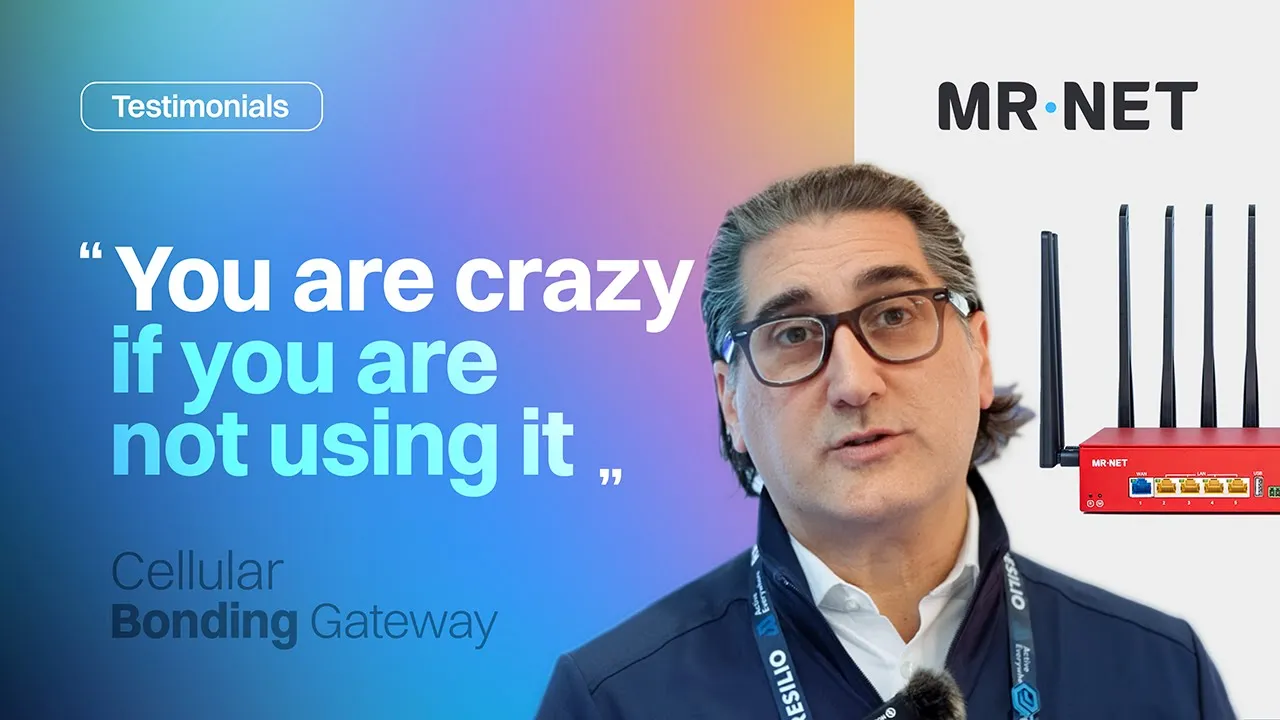
A short video of Resilio’s trade show booth running on MR·NET, featuring Adam Kranitz, then CMO at Resilio.
Ready to try bonding at your next show? Start with the $300 first-month trial, or see how MR·NET trade show internet works.
Frequently Asked Questions
Is a multi-SIM router the same as bonding?
No. A multi-SIM router holds several SIMs and switches between carriers, using one at a time. Bonding uses all carriers at once and combines them into one connection. MR·NET bonds Verizon, AT&T and T-Mobile at the same time, so traffic moves to the remaining carriers if one slows or drops.
Is a multi-SIM router good enough for a trade show?
For a backup link, email and a few lead scans, it can be. For live demos, card payments and video during peak hours, a switch between carriers can drop sessions in progress. Those are the jobs bonding is built for.
What router do I need for a trade show booth?
Look for three things: several carriers used at once (bonding, not switching), enterprise-tier SIMs, and Ethernet ports with Wi-Fi you can switch off. MR·NET’s MR 006 Plus has Verizon, AT&T and T-Mobile enterprise-tier SIMs, four Gigabit Ethernet ports and Wi-Fi 6 that can be turned off.
Do more SIM cards fix congestion at a convention center?
Not by themselves. More SIMs give your traffic more places to go, but if they are consumer SIMs, each one is still a consumer plan, and a switching router uses only one at a time. Carrier diversity and plan tier are separate levers. MR·NET pairs both: three carriers bonded at once, on enterprise-tier SIMs.
What are enterprise or priority SIMs?
They are business-grade plans, as opposed to consumer phone plans. MR·NET’s gateway uses enterprise-tier SIMs from Verizon, AT&T and T-Mobile. Enterprise-tier SIMs are a separate lever that helps curb congestion in a full hall, apart from the number of carriers.
Can I run a bonded gateway without Wi-Fi at my booth?
Yes. The MR·NET gateway’s Wi-Fi can be switched off. Your devices connect over its four Gigabit Ethernet ports and the booth broadcasts no Wi-Fi. Check the venue’s rules and get the venue’s answer in writing before the show.
Sources
MR·NET product and pricing facts: mrnet.us/live-events, /tradeshows and /pricing, checked October 27, 2026.
Venue price range and median: MR·NET venue guides (/tradeshow-venues), 11 venues printing exhibitor rates, verified October 8 and 19, 2026.
MR·NET is not affiliated with or endorsed by any venue or venue internet provider mentioned on this page.