Read in
9
min
Why Venue Wi-Fi Fails for Live Event Production (And What Professional Crews Use Instead)
"Connectivity is my #1 issue. Everything tests well before the event, then 10 minutes before the event connectivity goes to next to nothing." That's a senior broadcast engineer on r/VIDEOENGINEERING, November 2025. The thread had 33 replies. Almost all of them said the same thing in different words. This isn't a story about bad luck or one difficult venue. It's the same failure playing out the same way at corporate conferences, sports venues, music festivals, and trade shows across the country, every week. The connection works during setup. The crowd arrives. The feed drops. If you've been in live production long enough, you know this moment. The question is whether you've built your connectivity infrastructure in a way that makes it survivable - or whether you're counting on the venue to save you.


Why Venue Wi-Fi Breaks at the Worst Possible Moment
The failure isn’t random. There’s a precise technical reason it happens at curtain every time, and understanding it changes how you approach the problem.
Venue Wi-Fi runs on a contention-based model. Devices don’t get dedicated bandwidth; they compete for airtime on shared channels. When your production crew arrives for setup at 8am and there are 50 devices on the network, performance looks fine. When 1,500 attendees walk in at 9am and every phone, laptop, and tablet starts hitting the same access points, you’re now sharing that pipe with thousands of competing devices. The network was never engineered for that load - it was engineered to look good during the site visit.
Upload capacity is where production workflows feel this first. Most venues provision far more download bandwidth than upload, because their model is built around guests browsing, not crews streaming. For 1080p at 30 fps with H.264, YouTube lists 5 Mbps as the minimum bitrate and 14 Mbps as recommended; for 4K at 30 fps, 11 Mbps minimum and 42 Mbps recommended. A congested venue network running on shared infrastructure can deliver well under 1 Mbps upstream when it’s under full event load, per the Dejero bonded cellular white paper (2025). That’s the gap: an HD feed needs at least 5 Mbps of bitrate, plus headroom, and the network that “worked great during setup” is now delivering a fraction of that.
RF congestion adds another layer. The 2.4 GHz band has three non-overlapping channels. In a packed hall with hundreds of personal hotspots, exhibitor gear, and production equipment all competing for airtime, channel saturation is near-guaranteed. Adding more access points without coordinated channel planning makes it worse, not better. You’re not getting more capacity - you’re creating more interference.
One production manager described it: “We tested a [bonded encoder] prior to the event and then during the event our units were entirely unusable.” (r/VIDEOENGINEERING, AMA on at-home remote production, January 2026.) The hardware wasn’t the problem. The environment was.
What Venue Internet Actually Costs - and What You Get for It
Even before the reliability question, there’s the cost question.
Venue internet pricing for production use runs from $3,000 to $10,000 for mid-sized events, and $10,000 to $50,000-plus for large ones (MadeByWiFi, 2025). Dedicated circuits - the kind with a proper SLA - require 30 to 90 days of provisioning lead time and carry a significant venue markup on top of the underlying line cost. Miss the provisioning window and you’re back to shared infrastructure regardless of what you paid.
The market structure is the same as trade shows: exclusive AV contracts with Encore, Freeman, or Pinnacle Live at most major venues. One provider, one price, no negotiation. As one event production company put it: “Your Wi-Fi bill looks like your keynote speaker’s fee.” (Clarity Experiences, October 2025.)
For a production team running 20 or 30 events a year, this compounds fast. Each show starts with a venue internet procurement process, an unpredictable quote, a 30-90 day lead time, and a connection that may or may not hold when the show goes live. The operational overhead alone is a problem worth solving, before you get to the cost.
Why Single-Carrier Cellular Fails in the Same Room
The obvious workaround is a cellular hotspot. It avoids the venue contract, it’s portable, and it works fine in most normal environments.
Convention centers and event venues are not normal environments.
When thousands of attendees fill a hall, every person with a smartphone loads the same towers. If your hotspot runs exclusively on AT&T and the AT&T tower serving that venue is saturated, you’re in exactly the same position as the venue Wi-Fi failure - just without the invoice. Signal strength looks fine. Throughput collapses.
Consumer cellular plans add another layer to this problem. Carriers deprioritize consumer traffic when towers are congested. This is disclosed in the fine print and applies to every personal hotspot and tethered phone in the building. The result is that your “5G” hotspot might be delivering 1 Mbps of usable upload during peak event hours - the same floor as congested venue Wi-Fi.
This is why “I already tried a hotspot and it didn’t work” is a reasonable conclusion that leads to the wrong lesson. A consumer single-carrier hotspot is not the same technology class as enterprise multi-carrier bonded cellular. The failure of one doesn’t predict the failure of the other. Here’s a full breakdown of why the underlying technology is different.
What Cellular Bonding for Live Streaming Actually Does
Multi-carrier bonded cellular doesn’t switch between carriers. It runs all of them simultaneously.
Verizon, AT&T, and T-Mobile are aggregated into a single connection, with traffic distributed across all three active links in real time. If AT&T’s tower is congested inside the venue, Verizon and T-Mobile continue carrying load. Session persistence keeps the stream going on the remaining carriers; speed drops with fewer carriers, so leave headroom between your bitrate and your upload.
This is the technical answer to the “impossible to stress test before an event” problem that practitioners cite consistently. You can’t fully replicate show-floor congestion conditions during setup - but if you’re bonding three independent carriers with enterprise-priority SIMs, you’ve built in the redundancy that makes the stress test less critical.
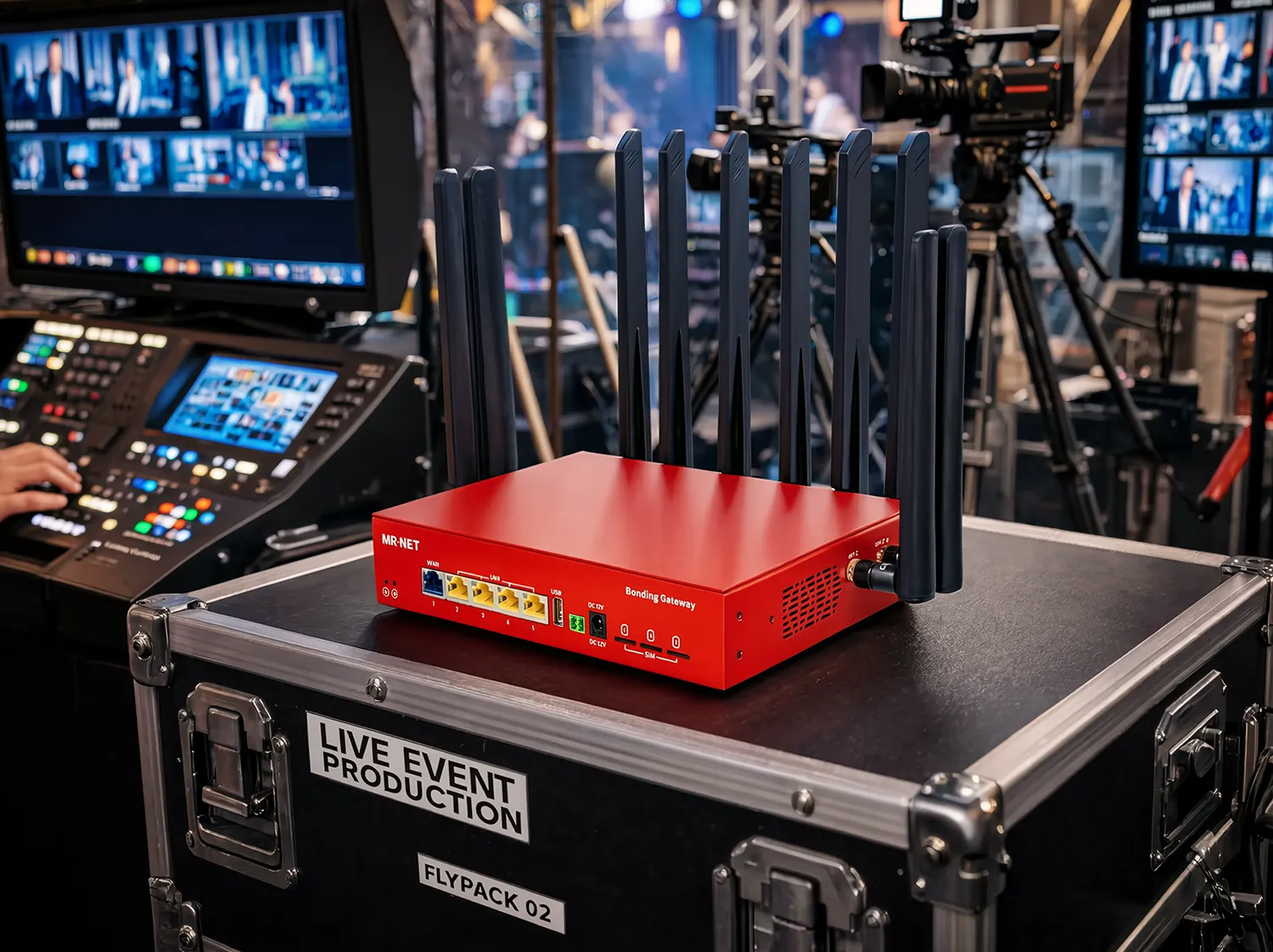
Enterprise-tier SIMs are worth calling out here. Carriers say consumer smartphone and hotspot data may be slowed when a tower is congested, and MR·NET’s SIMs are on high-priority enterprise plans. That’s why, in a packed venue, the plan tier can matter as much as the headline speed.
For a production crew running a single HD stream over SRT or RTMP, three bonded carriers give that stream more than one path to the internet. Session persistence means that if one carrier drops entirely, active sessions don’t reset: traffic moves to the remaining links.
Broadcast-Specific Bonding vs. General-Purpose: Knowing the Difference
The broadcast industry has purpose-built bonding systems: LiveU, Dejero, Haivision, TVU. These combine a video encoder with bonded cellular transport in one unit, designed specifically for multi-camera genlock, lip-sync, IFB, tally, and frame-accurate production. For broadcasters managing multi-camera live sports or news, that integration is worth it.
For most corporate events, conferences, and single-stream live productions, general-purpose cellular bonding works with any encoder via SRT or RTMP. The connection it provides is the same high-priority, multi-carrier aggregated internet - without the built-in encoder. You pair it with whatever encoding hardware or software your workflow already uses.
As LiveU’s own blog notes: “Not all bonding is the same.” That’s accurate in both directions. Broadcast-grade video bonding does things that general-purpose bonding doesn’t, and those things matter for specific workflows. But general-purpose bonding does things broadcast-grade units don’t - like providing a full managed internet connection for the rest of the production environment: laptop access, cloud tools, CRM, remote monitoring.
The right answer depends on the production. For sports streaming operations scaling across hundreds of events, the economics and workflow requirements look different than a 200-person corporate conference with a single-camera stream.
For a side-by-side guide, see bonded encoder vs bonding router.
The Multi-Event Economics: Own It vs. Pay Per Show
Here’s where the math changes for anyone producing more than a handful of events per year.
REMI production (remote/at-home production) already reduces on-site crew footprint by up to 90% compared to traditional on-site builds, saving roughly $14,000 per project versus traditional production costs (Broadcast Management Group, April 2026; The Broadcast Bridge). Connectivity is the infrastructure that makes REMI possible. When connectivity is unreliable or prohibitively expensive, the model breaks.
Cellular bonding hardware is a one-time capital cost. Enterprise managed service covers the data. You bring the same device to every production - indoor venue, outdoor festival, school gym, hotel ballroom - plug it in, and you’re online. No provisioning lead time. No per-show quote. No procurement process starting 90 days before the event date.
For a production company running 30 or 40 events a year, the math on venue internet avoided compounds quickly. It also eliminates the operational variable that kills timelines: the venue internet question is answered before the RFP is signed, every time.
We’ve seen this in practice. A school sports streaming operation scaled to over 600 games per year by removing connectivity as the limiting factor. When every venue visit doesn’t require a new connectivity negotiation, volume becomes possible.
Redundancy Is the Architecture, Not the Backup Plan
The production teams with the cleanest track records aren’t the ones who got lucky with venue internet. They’re the ones who built redundancy into the production plan before anything else.
Andrew Ryback, EVP of Production at Broadcast Management Group, put it directly: “Redundancy is not optional.” (April 2026.) BMG routes all feeds into its Cloud Control Center using multiple contribution paths simultaneously - IP transport, fiber, bonded cellular, LEO satellite, private cloud interconnects, direct ingest pathways. If one path degrades, another carries the load. That’s not belt-and-suspenders caution; it’s the baseline architecture for any production where going to black is not an acceptable outcome.
“The signal transport layer is invisible when it works. When it doesn’t, the broadcast stops.” - Ryback.
For most production teams, the practical version of this is: bonded cellular as the primary, venue ethernet (if available) as the secondary. Or bonded cellular as both primary and secondary on different carrier configurations. The specific setup depends on the venue and the production. The principle doesn’t change.
A few things that matter for building this out correctly:
Check all three carrier coverage maps at the venue address before the show. Major markets like Las Vegas, Chicago, and New York have strong multi-carrier indoor coverage. Smaller markets vary significantly, and some venues in secondary cities have genuine dead spots for specific carriers.
External antennas solve most indoor signal problems. Thick concrete and metal structures block cellular signal at the device level. An external antenna mounted at a window or roofline and connected via LAN cable moves the reception point outside the building while the router stays at the production position.
Not all towers are independent. In some markets, two carriers share the same physical tower infrastructure. Bonding multiple SIMs from those carriers doesn’t produce true path diversity. Tower surveys matter for high-stakes productions.
Pre-Event Connectivity Checklist
Run through this before every show:
Pull carrier coverage maps for Verizon, AT&T, and T-Mobile separately at the venue address. Don’t assume major city means strong indoor coverage on all three.
Confirm your data plan type. Enterprise-priority or consumer? If consumer, expect deprioritization during peak show hours regardless of signal strength.
Test upload speeds, not just download. Run a load test that simulates your actual contribution workflow. Download speeds are irrelevant for broadcast.
Verify external antenna options if the venue is a metal structure, basement, or has thick concrete walls.
Know the provisioning lead time if you’re ordering a venue circuit as a backup. Ninety days goes fast.
Confirm your managed support contact before show day. Not in an email thread. On your phone, at the top of your call sheet.
Have a secondary path ready before doors open. Not something you’re setting up after the primary fails.
What This Looks Like in Practice
The production crews who’ve stopped worrying about venue internet haven’t gotten lucky. They’ve removed the dependency.
78% of broadcasters were actively budgeting IP infrastructure projects in 2024 (Mordor Intelligence/SMPTE data, 2025). LiveU reported that IP video usage doubled from 2020 to 2024. The industry is moving toward portable, IP-based, carrier-independent connectivity because it’s more reliable, more cost-efficient, and more operationally predictable than anything tied to a venue.
That shift doesn’t require a major broadcaster’s infrastructure budget. It requires the right hardware, the right data plan tier, and a production plan that treats connectivity as a designed system rather than something you sort out on-site.
If you want to see how cellular bonding for live streaming fits into a managed production connectivity setup, the MR·NET live events page covers what that looks like in practice.
More live production guides: outdoor event and festival internet, LEO satellite vs bonded cellular and bonded encoder vs bonding router.
Frequently Asked Questions
What’s the best internet solution for live event streaming?
Multi-carrier bonded cellular, with Verizon, AT&T and T-Mobile bonded into one connection, routes traffic to whichever carrier link is healthiest in real time. If one carrier’s tower gets congested, the others absorb the load, and enterprise-priority SIMs carry network priority over consumer SIMs on the same tower. That’s why the plan tier can matter as much as the headline speed in a congested venue.
How do I avoid venue Wi-Fi problems at a live event?
Don’t rely on the venue’s network once the crowd arrives. It’s contention-based, so it works fine at 50 devices during setup and breaks down when 1,500-plus attendees show up and compete for the same shared channels. Bring an independent bonded cellular connection instead, so your production traffic isn’t sharing airtime with everyone else’s phones.
Is bonded cellular good enough for live streaming?
Yes, when it’s multi-carrier. Bonding Verizon, AT&T, and T-Mobile means that if one carrier’s tower saturates, the other two keep contributing bandwidth, and session persistence keeps your stream live through the transition instead of dropping. A single-carrier hotspot doesn’t have that redundancy, which is the real structural difference.
How much upload bandwidth do I need to livestream a live event?
For 1080p at 30 fps with H.264, YouTube lists 5 Mbps as the minimum bitrate and 14 Mbps as recommended; for 4K at 30 fps, 11 Mbps minimum and 42 Mbps recommended. Plan your upload at about 1.5 times the total bitrate you send. A congested venue network under full event load can deliver well under 1 Mbps upstream, according to a 2025 Dejero bonded cellular white paper. Our bandwidth calculator does the math.
Why does venue internet fail once the crowd arrives?
Venue Wi-Fi is contention-based, meaning every device competes for airtime on the same shared channels. At 50 devices during setup, that’s not a problem. At 1,500-plus attendees plus production gear, the 2.4 GHz band, with only three non-overlapping channels, gets saturated and performance collapses.
What’s the difference between a consumer hotspot and bonded cellular for events?
A consumer hotspot runs on one carrier, so when that carrier’s tower saturates, there’s no alternate path and the connection fails. Bonded cellular combines Verizon, AT&T, and T-Mobile, so traffic shifts to whichever link is healthiest, and enterprise SIMs get network priority that consumer SIMs don’t. That redundancy and priority is what keeps the connection up when the room fills.
___
Sources: r/VIDEOENGINEERING (November 2025, January 2026); Dejero Bonded Cellular White Paper (2025); MadeByWiFi “Event WiFi Costs” (2025); Clarity Experiences (October 2025); Broadcast Management Group / Andrew Ryback (April 2026); The Broadcast Bridge (via Market.us REMI report, 2024); LiveU press release (November 2024); Mordor Intelligence / SMPTE (2025); VidOvation AMA, r/VIDEOENGINEERING (January 2026); LiveU blog “Not All Bonding Is the Same”; YouTube Help, “Choose live encoder settings, bitrates, and resolutions” (checked October 2026).

